---
name: tutorial-233
description: FastReport报表中,如何只显示多行字段的第一行内容?本文给出一个基于 ReportScript 自定义函数的简洁方案,兼容 Windows、Unix、Mac 三种换行符格式,附完整代码。
category: 基础资料
url: https://www.likelic.com/tutorial/233.html
---
# 218.打印模版设计时,多行文本字段显示第一行的方法
网址: https://www.likelic.com/tutorial/233.html
需求场景
----
数据字段(如 `job.shipper`)的值本身是多行文本(包含换行符),在报表中只想显示**第一行**内容,忽略后续行。
解决方案:自定义脚本函数
------------
在 ReportScript 中添加一个处理函数,然后在文本框表达式里调用。
### 步骤 1:编写脚本
打开报表设计器的"代码"标签页,填入以下代码:
using System;
using System.Collections;
using System.Collections.Generic;
using System.ComponentModel;
using System.Windows.Forms;
using System.Drawing;
using System.Data;
using FastReport;
using FastReport.Data;
using FastReport.Dialog;
using FastReport.Barcode;
using FastReport.Table;
using FastReport.Utils;
namespace FastReport
{
public class ReportScript
{
///
/// 获取多行文本的第一行
///
/// 原始文本
/// 第一行内容,空值返回空字符串
public string GetFirstLine(string text)
{
if (string.IsNullOrEmpty(text))
return "";
// 兼容 Windows(\\r\\n)、Unix(\\n)、Mac(\\r) 三种换行符
string\[\] lines = text.Split(
new string\[\] { "\\r\\n", "\\n", "\\r" },
StringSplitOptions.None
);
return lines.Length > 0 ? lines\[0\] : "";
}
}
}
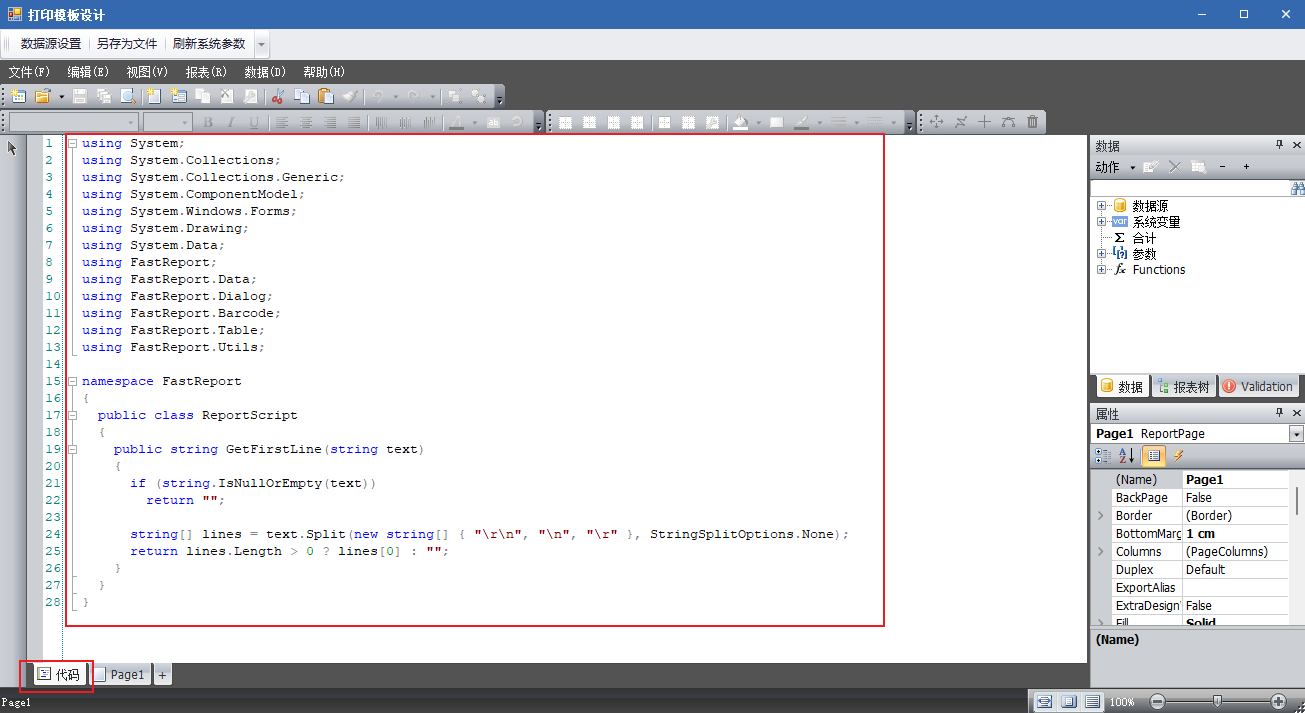
图(1)
### 步骤 2:在文本框中调用
在报表设计器中,选中需要显示内容的文本框,填入表达式:
\[GetFirstLine(\[job.shipper\])\]
将 `job.shipper` 替换为你实际的字段名即可。
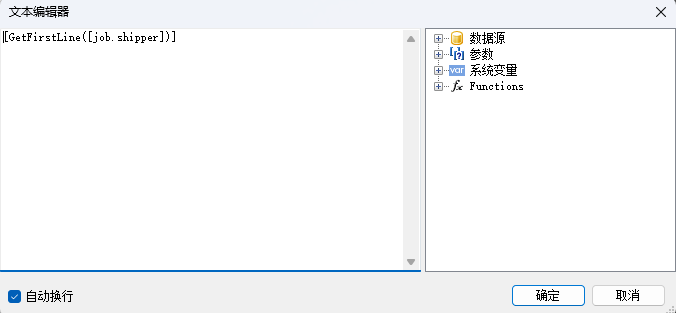
图(2)
### 步骤 3:预览验证
保存报表并预览,文本框将只显示字段内容的第一行。
总结
--
FastReport 支持在 ReportScript 里自定义函数,再通过 `[函数名(参数)]` 的形式在任意文本框中调用,比绕一圈用参数或事件传值简洁得多。遇到需要加工字段显示内容的场景,优先考虑这个方案。